How do I edit the frequency of my active subscription?Updated 6 days ago
To edit subscription details such as the order frequency, follow the steps below:
- Log in to your Orgain.com account or subscription account. To log in and manage your subscription, please visit: https://orgain.com/tools/recurring/get-subscription-access.
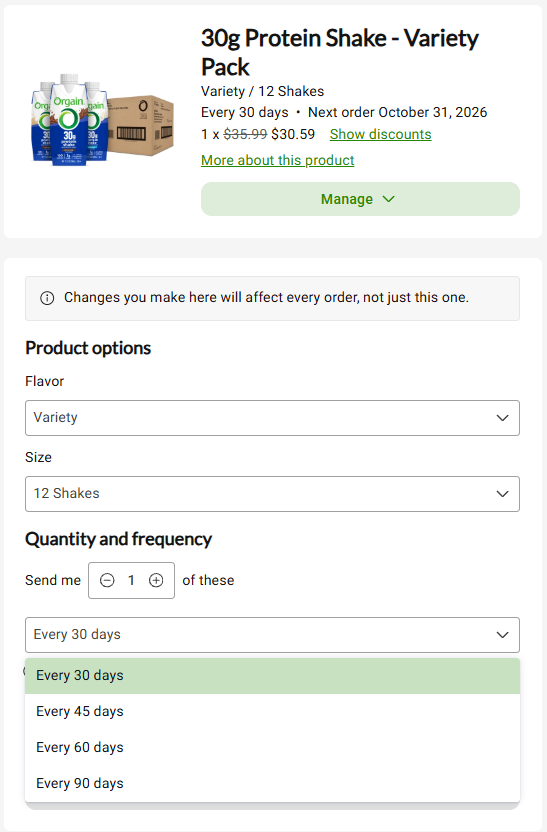
- To change your subscription frequency, navigate to "Subscriptions" to view your active subscription(s). Click "Manage", then "Edit."
- Adjust the frequency by selecting your preferred order frequency in the drop-down menu.
- Click "Save changes" to update your frequency for all future orders of the product. Note: Updating the frequency may change the date of your next order.